
Conversion Bridge tracks clicks on your ClickWhale managed links and link pages as conversions. You can enable tracking globally for all link clicks, or configure it on individual links and link pages with custom labels and values.
Setting Up Global Link Click Tracking
- In your WordPress admin, go to Settings > Conversion Bridge > Integrations and enable ClickWhale.
- Check the box next to Track link clicks to enable tracking for all ClickWhale links.
- Optionally customize the Click label. The default label is
Click: %title%, where%title%is replaced with the link's title. - Click Save Changes.
Setting Up Per-Link Tracking
You can also configure conversion tracking on individual ClickWhale links for more control.
- In your WordPress admin, go to ClickWhale > Links.
- Edit a link.
- Find the Conversion Tracking settings.
- Check Enable Conversion Tracking.
- Optionally enter a custom Conversion Tracking Label and Conversion Tracking Value.
- Save the link.
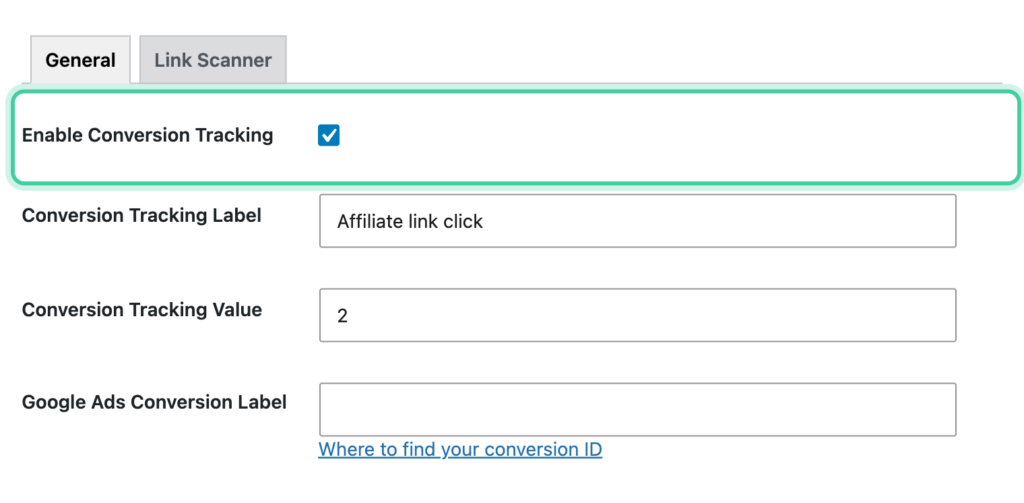
When a per-link label is set, it overrides the global label for that specific link.
Setting Up Link Page Tracking
ClickWhale link pages (bio pages) can also be tracked. When you enable conversion tracking on a link page, every link on that page is tracked as a conversion when clicked.
- In your WordPress admin, go to ClickWhale > Link Pages.
- Edit a link page.
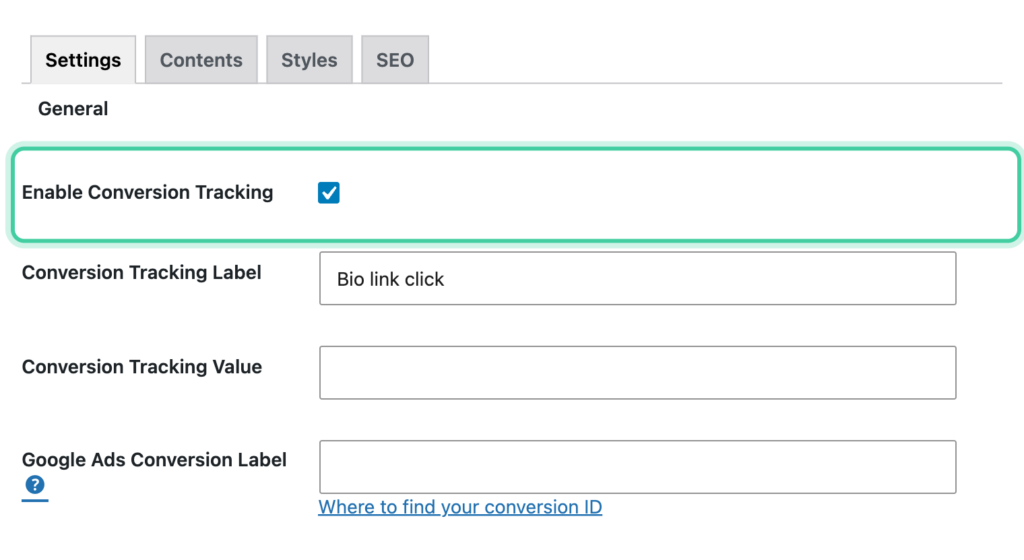
- Find the Conversion Tracking settings.
- Check Enable Conversion Tracking.
- Optionally enter a custom Conversion Tracking Label and Conversion Tracking Value.
- Save the link page.
How It Works
- Individual links: When a visitor clicks a ClickWhale managed link that has conversion tracking enabled, a click conversion is sent to all your connected analytics and ad platforms.
- Link pages: When conversion tracking is enabled on a link page, every link on that page is automatically tracked. Each click sends a conversion event.
- Labels follow a priority order: a per-link (or per-link page) label is used first. If none is set, the global custom label is used. If that's also empty, the default
Click: %title%label is used, with%title%replaced by the link's title.
Tracked Data
Every event includes a conversion label and conversion value.
Link click events include:
url— The link's destination URLtitle— The link's title
Custom Event Labels
You can customize the conversion label at two levels:
- Global label — Set in the Conversion Bridge integration settings under Click label. Applies to all tracked ClickWhale links unless overridden per-link.
- Per-link / per-link page label — Set in the individual link or link page settings. Overrides the global label for that specific link or page.
The default label is Click: %title%. The %title% placeholder is replaced with the link's title, so a link titled "My Affiliate Link" would be tracked as "Click: My Affiliate Link".
Platform-Specific Fields
Some ad platforms (like Google Ads) require their own conversion identifiers. When these platforms are enabled in Conversion Bridge, additional fields appear in the conversion tracking settings for both individual links and link pages. Enter the platform-specific conversion ID or label to ensure proper attributionThe process of determining which channels, campaigns, or actions contributed to a conversion, helping you understand what influenced a visitor’s decision to take action..