
Conversion Journeys
See the path to every conversion
You know someone bought, signed up, or submitted a form. But what made them do it? See the exact page-by-page path visitors take before converting.
Built Into Your Plugins
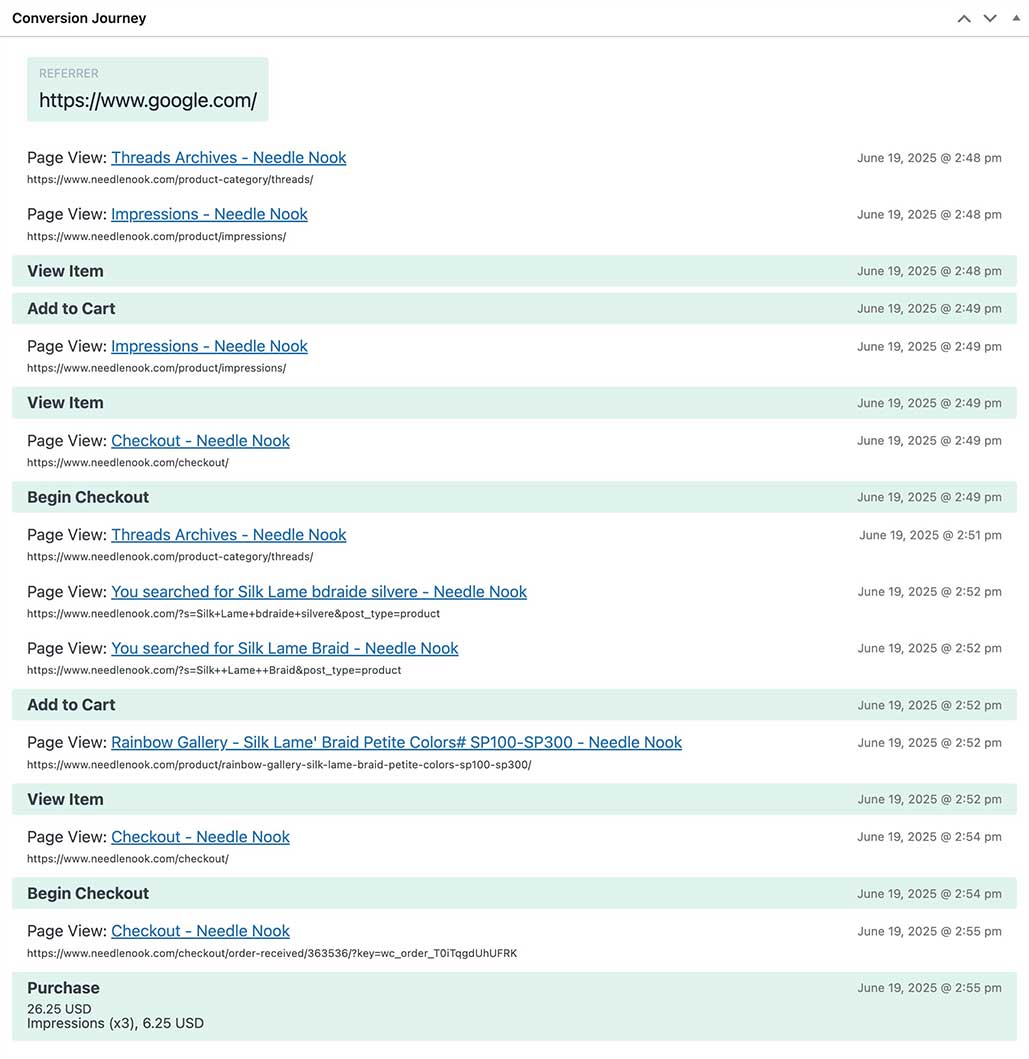
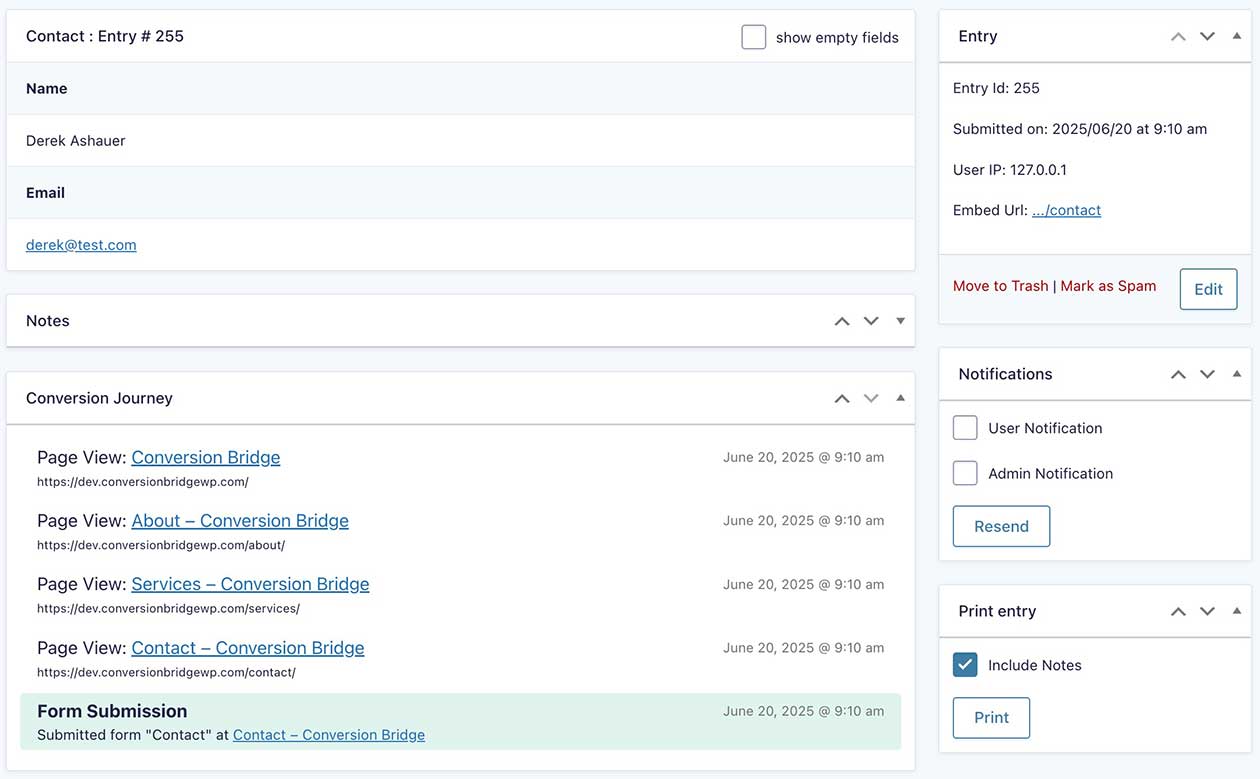
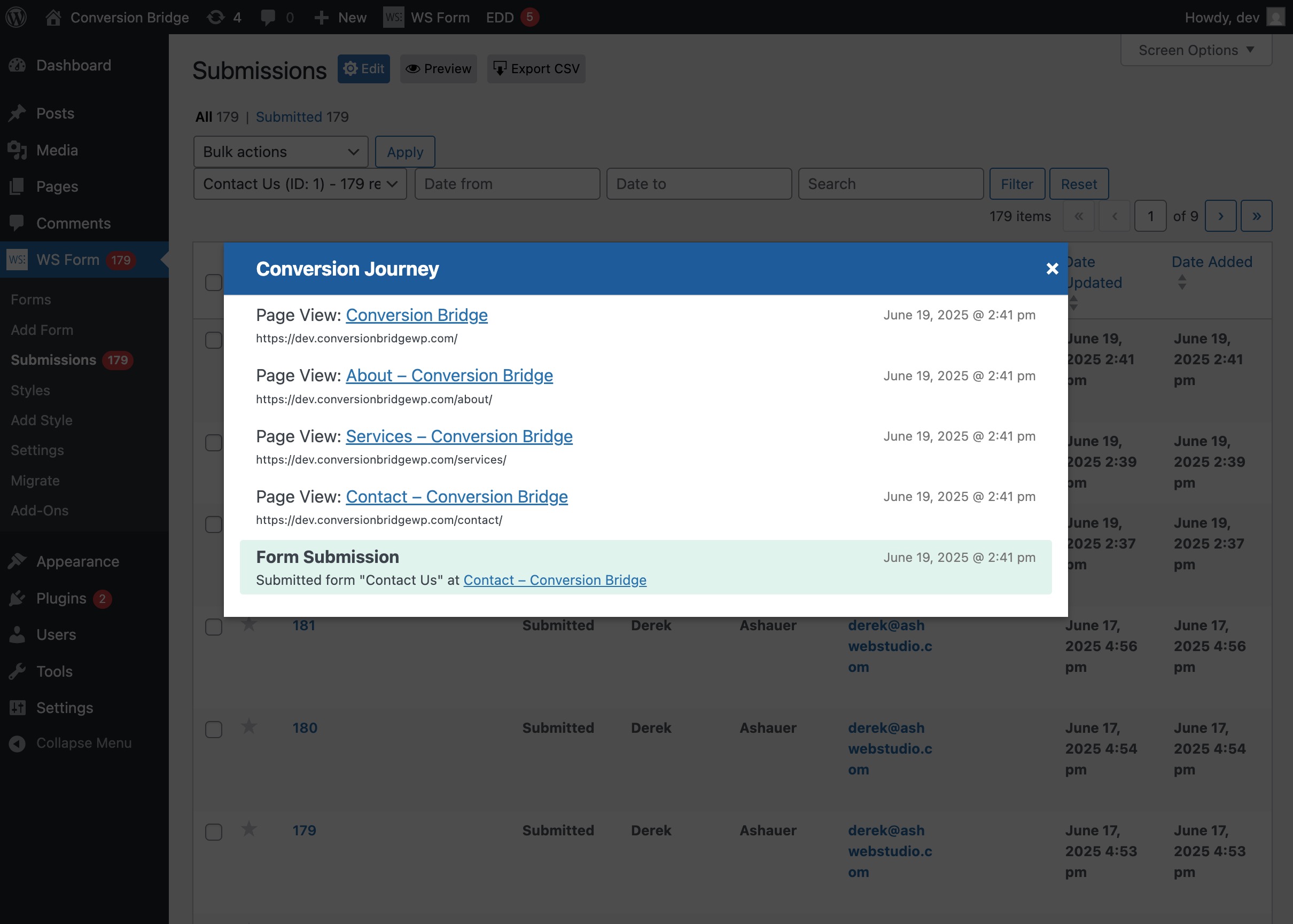
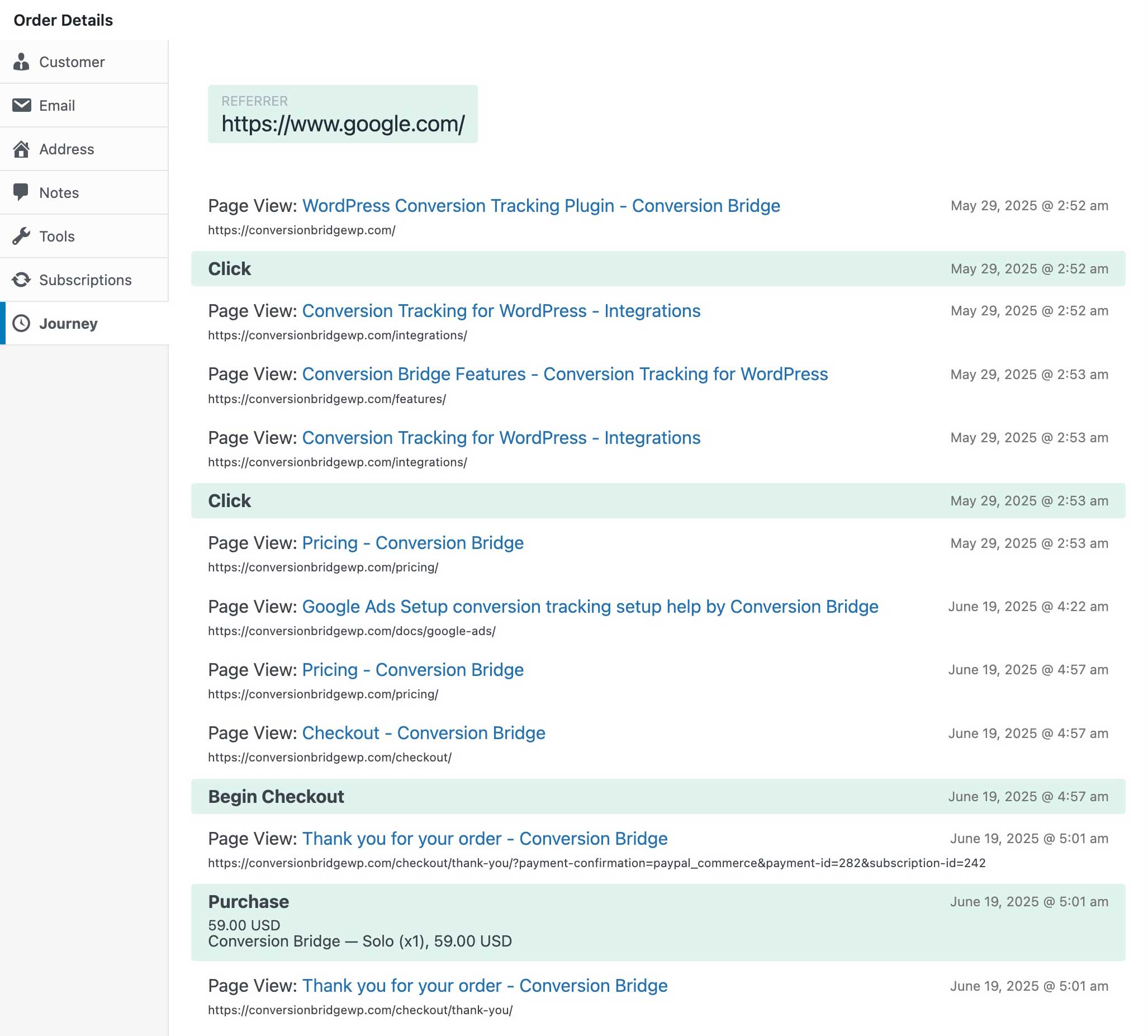
Journey timelines appear right where you already work — inside WooCommerce orders, form entries, and membership signups. No extra clicks, no digging through separate screens.
WooCommerce
Gravity Forms
WS Form
EDD
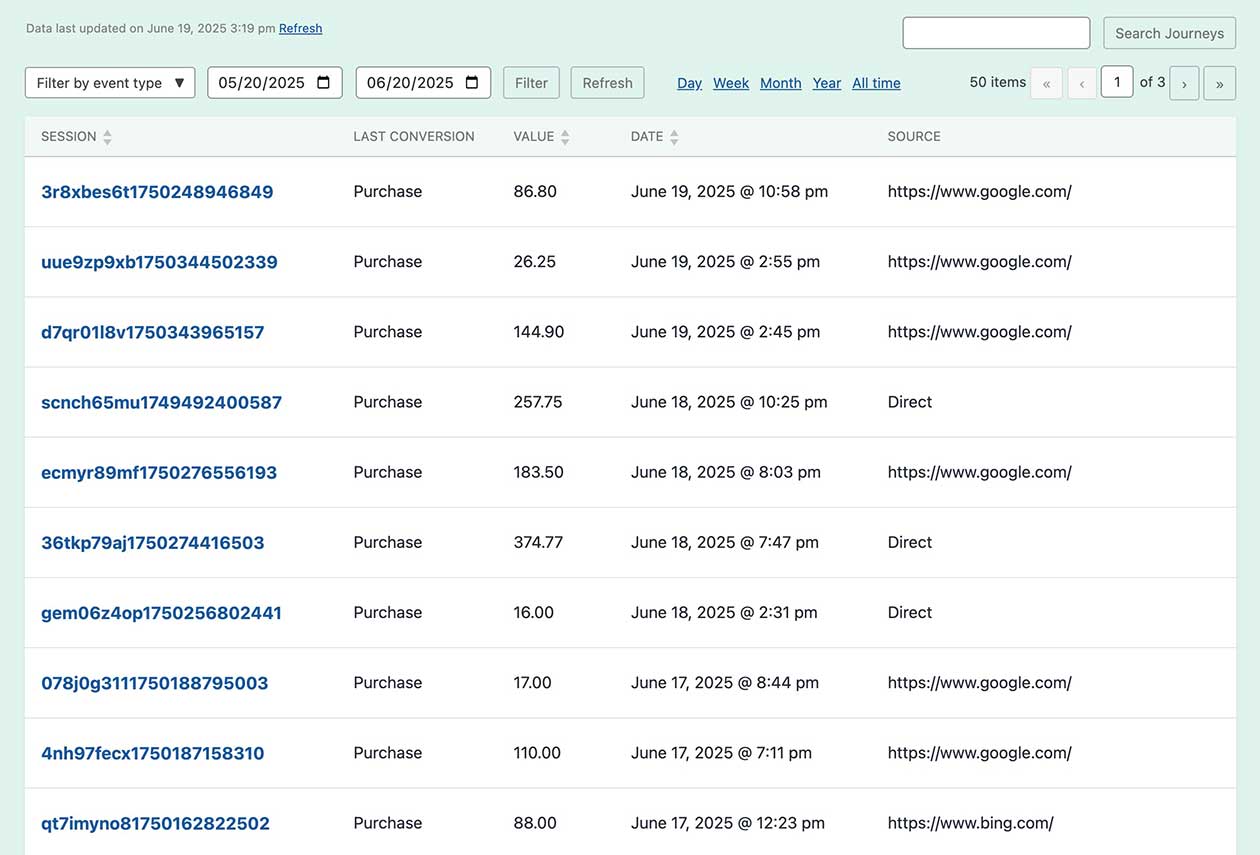
Journeys Dashboard
Every conversion journey is collected in a single, searchable dashboard. Filter by conversion type or date range to find exactly what you're looking for — whether it's a specific purchase, a form submission from last week, or patterns across all your conversions.
Journeys in Email
Many plugins send admin notification emails when a conversion happens. Conversion Bridge includes the journey timeline right in the email so you can see what happened without logging in.
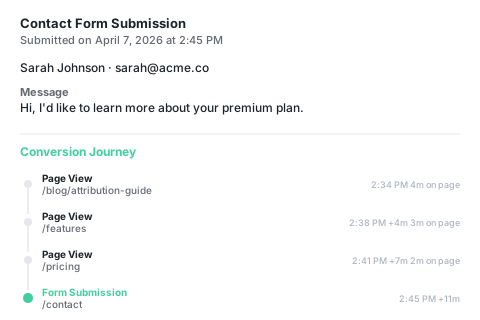
Insights
What you'll discover
How they found you
A new customer just purchased. Their journey shows the first page they ever visited was a blog post — that's the content that brought them in.
Where they hesitated
A lead submitted your contact form but their journey shows they visited pricing three times before reaching out. That page might need clearer info.
How long it took
A WooCommerce order came in. The journey shows the customer first visited Monday, came back Wednesday, and finally purchased Friday.
What brought them back
A buyer viewed the product last week but didn't purchase. Their journey shows they returned through an email link days later and went straight to checkout.
The Difference
Knowing what vs. knowing why
Analytics alone
- Numbers without context
Your analytics say you had 50 conversions this month. But you can't see what any of those people did on your site before they converted. - Pages in isolation
You know your pricing page gets traffic, but you don't know how many times a customer visits it before they finally pull the trigger — or what they look at in between. - Blind spots in the funnel
Someone bought after 6 visits over 2 weeks. Analytics shows 6 separate sessions. You can't tell it was the same person or what brought them back each time.
With Conversion Journeys
- You see what led to the conversion
Blog post → features page → pricing → contact form. The full story behind every conversion, step by step. - You spot patterns
Notice that your best customers always visit the case studies page. Or that people who read 3+ blog posts convert at a higher rate. - You make smarter decisions
Promote the content that drives conversions. Fix the pages where journeys go cold. Invest in what actually works.
Plans & Pricing
One plugin Every conversion Setup in minutes
Starting at only $79/year, every plan includes all integrations & features
- 14-day money back guarantee
- Premium 1-on-1 support
- No tag manager needed
Common questions
Yes, Conversion Bridge is a WordPress plugin and only works on WordPress-powered websites.
Yes! I am very proud of the quality and speed of support offered should you run into any issues.
Conversion Bridge supports 71 plugins, 19 analytics platforms, and 11 ad platforms. If what you need is not yet supported, send a request and I will take a look — I am always looking to grow the integration list.
Yes! Agencies are highly encouraged to check out our Agency Partner Program where you can get a free license for your own site and earn money by referring new clients to Conversion Bridge.
Yes, but using GTM will require additional setup and configuration. Conversion Bridge is a much easier way to setup analytics and ad platform conversion tracking.
Conversion Bridge can be considered a GTM replacement — one that is much easier to setup, more accurate in tracking, gives you more insights, and works directly with the analytics platforms, ad platforms and plugins in use on your WordPress website.
Yes! At any time you can upgrade to a pricing plan that includes more sites.
Absolutely. Conversion tracking is not just for ad campaigns — it is how you figure out what is actually working in your business. Without it, you are guessing which pages, emails, blog posts, and organic traffic sources are driving signups and sales.
Conversion Bridge tracks form submissions, memberships, downloads, and purchases across your WordPress site, so you can confidently decide where to spend your time, what content to double down on, and what to cut — whether you ever run a paid ad or not.
Yes. Conversion Bridge integrates with many consent management platforms, so tracking respects visitor consent decisions before anything fires.

Hi, I’m Derek. I’ve been building WordPress plugins for over a decade, and my goal with Conversion Bridge is to make analytics and conversion tracking setup as painless as possible. If the FAQ didn’t cover it — pre-sales, an integration you wish existed, or you’re stuck on setup — send it over. I read every message.