
Rybbit Analytics is a privacy-focused, self-hostable analytics platform that provides comprehensive website analytics. Conversion Bridge integrates with Rybbit Analytics to automatically track pageviews and conversion events from your WordPress site.
This integration supports both:
- Cloud-hosted Rybbit: Use Rybbit's hosted service at app.rybbit.io
- Self-hosted Rybbit: Use your own Rybbit instance
Setup Instructions
Step 1: Get Your Site ID
- Log in to your Rybbit dashboard (or your self-hosted instance)
- Navigate to your site settings
- Find your Site ID (this is required for tracking)
- Copy the Site ID
Step 2: Enable Rybbit Analytics
- In your WordPress admin, go to Settings → Conversion Bridge → Platforms
- Find Rybbit Analytics in the list of available platforms
- Enable the platform by checking the checkbox
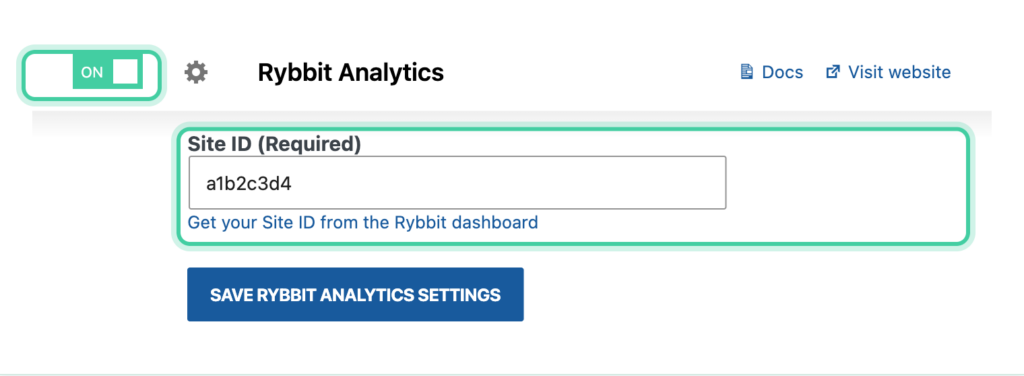
Step 3: Configure Settings
Required Settings
Site ID (required): Enter your Rybbit Site ID
Optional Settings
Custom Domain: If you're self-hosting Rybbit, enter your instance URL
- Example:
https://analytics.example.com - Leave empty to use the cloud-hosted service (app.rybbit.io)
Skip Patterns: Comma-separated URL path patterns to ignore
- Pageviews matching these patterns will not be tracked
- Supports wildcards:
*(single segment) and**(multiple segments) - Example:
/admin/**,/preview/*
Mask Patterns: Comma-separated URL path patterns to mask for privacy
- Matched URLs will be replaced with the pattern in analytics
- Example:
/users/*/settings,/orders/**
Session Replay Mask Selectors: Comma-separated CSS selectors for elements to mask in session replays
- Elements matching these selectors will have their text masked
- Example:
.user-name,#email,.private-data
Debounce Delay (ms): Delay in milliseconds before tracking pageview after URL changes
- Default is 500ms
- Set to 0 to disable debouncing
- Useful for single-page applications (SPAs)
Step 4: Save Settings
Click Save Changes to activate Rybbit Analytics tracking.
Tracked Data
Event Properties
Conversion events sent to Rybbit Analytics include:
- Event Name: The conversion event label/name
- Amount: Purchase/transaction amount (if applicable)
- Currency: Currency code (if applicable)
- Product Information: For e-commerce events
- Custom Properties: Additional event data from integrations
Single Item Events
For events with a single item:
- Item properties are flattened into the event data
- This provides cleaner event data in Rybbit Analytics
Multiple Item Events
For events with multiple items:
- Product names are extracted and combined into a
productsproperty - Each product name is included in a comma-separated list