
Setup your X/Twitter Pixel
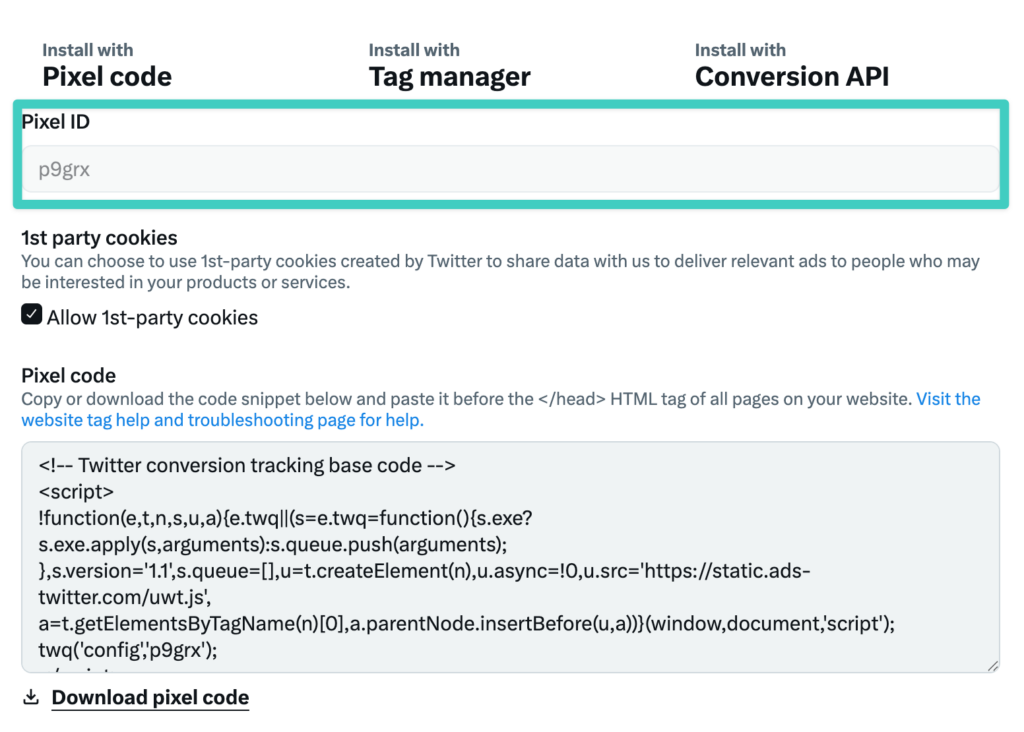
The first step is to get your unique Pixel ID:
- Go to X Ads Manager
- Go to Tools > Events
- Create a new pixel and copy the ID and paste into the Conversion Bridge settings
Creating Conversion ID
Every unique conversion needs it's own Conversion ID in X Ads. Here is how to create a new conversion and get the conversion ID to paste into the Conversion Bridge conversion setup settings:
- Go to X Ads Manager
- Go to Tools > Events Manager
- Click on "Add Events"
- Fill in the requested information as thoroughly and accurately as possible
- Select "Define event with code"
- Complete steps to fully save the conversion event
- Copy the unique ID of the event and paste into the settings field where requested by Conversion Bridge

Example conversion event setup
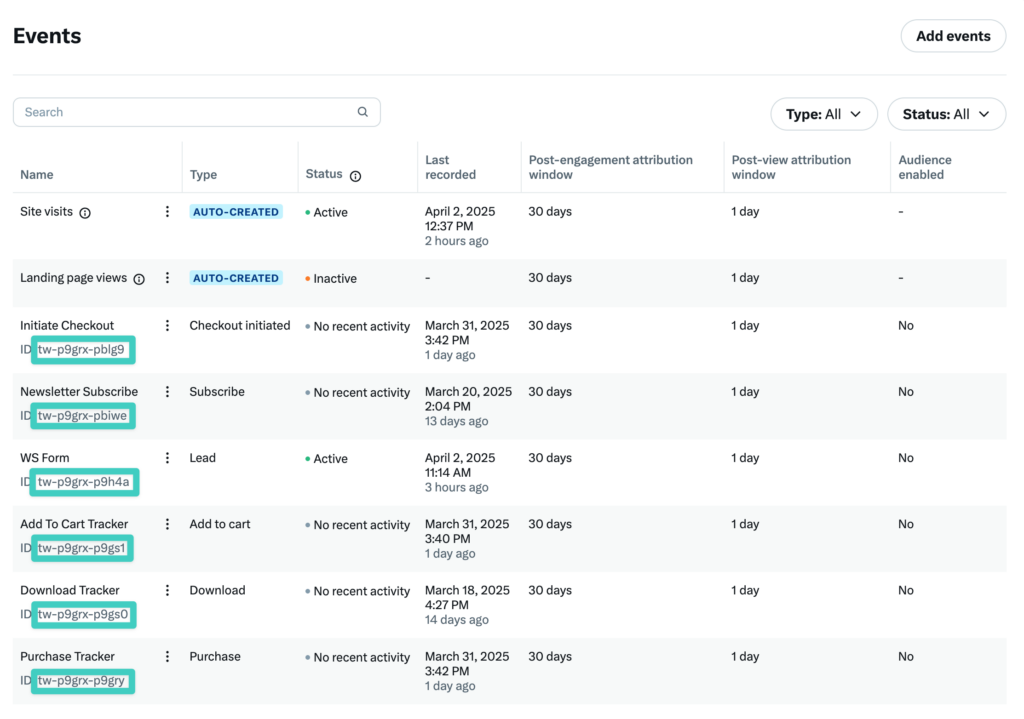
Where to locate the Conversion ID to copy/paste into the Conversion Bridge settings where requested