
Conversion Bridge tracks conversion journeys, the path a visitor takes across your site before they convert, so you can see which pages and campaigns drive results. It can do this in two ways: with a cookie, or with cookieless fingerprinting. This guide explains the difference so you can pick the right one.
Where to Find the Setting
Go to Settings → Conversion Bridge → Options and find the Conversion Tracking section. Turn on Track Conversion Journeys, and the Tracking Method option appears with two choices: CookiesA small piece of data stored in a user’s browser that helps websites remember user activity, preferences, or sessions across visits. and Fingerprinting. Cookies is the default.
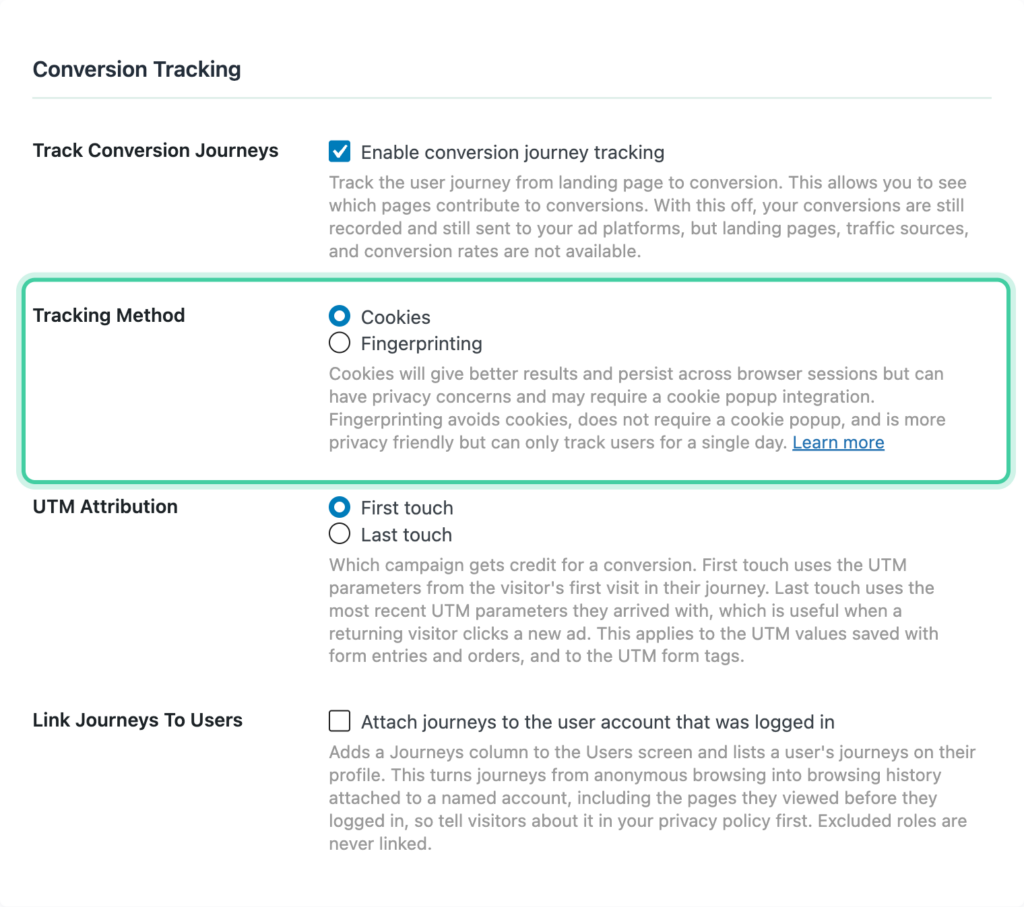
Cookies (the default)
With this method, Conversion Bridge sets a first-party cookie named cb_session_id to recognize a visitor as they move through your site.
- It persists across browser sessions, so a visitor who returns days later is still connected to their earlier visits.
- It gives the most accurate, longest-lasting journey and attributionThe process of determining which channels, campaigns, or actions contributed to a conversion, helping you understand what influenced a visitor’s decision to take action. data.
- Because it sets a cookie, a cookie scanner will detect it. Categorize it as an Analytics cookie. See The cb_session_id Cookie (and How to Categorize It).
- If you've connected a cookie consent banner, Conversion Bridge waits for analytics consent before setting the cookie, so it respects the visitor's choice.
Fingerprinting
With this method, Conversion Bridge sets no cookie at all. Instead, it recognizes a visitor from a temporary, anonymized signature based on their browser and network, with the exact IP address truncated so it isn't stored in full. Nothing is written to the visitor's browser.
- No
cb_session_idcookie is set, so there's nothing for a cookie banner to list. - The signature resets every day, which is the tradeoff: Conversion Bridge can only recognize a visitor for a single day. A visitor who returns tomorrow looks like a new person, so multi-day journeys are less complete.
- It's a good fit if you want to avoid cookies entirely and are comfortable with single-day journey tracking.
Which Should You Use?
For most sites, Cookies is the better choice. It gives you accurate journeys across multiple visits, and if you run a consent banner you simply categorize cb_session_id as Analytics and let Conversion Bridge handle the consent timing.
Choose Fingerprinting if you'd rather not set any cookie and you're fine with journeys that only span a single day.