
Conversion Bridge works with the Borlabs Cookie consent banner so your conversion tracking respects visitor consent choices. Borlabs takes ownership of consent for each platform, blocking the scripts and managing Google Consent Mode itself, while Conversion Bridge sends the tracking data the moment a visitor gives permission.
Requires Borlabs Cookie version 3. Borlabs Cookie v2 is not supported. If you're still on v2, upgrade to v3 to use the Conversion Bridge integration.
Setup Instructions
Step 1: Set Up Borlabs Cookie
- Install and activate Borlabs Cookie version 3 or later
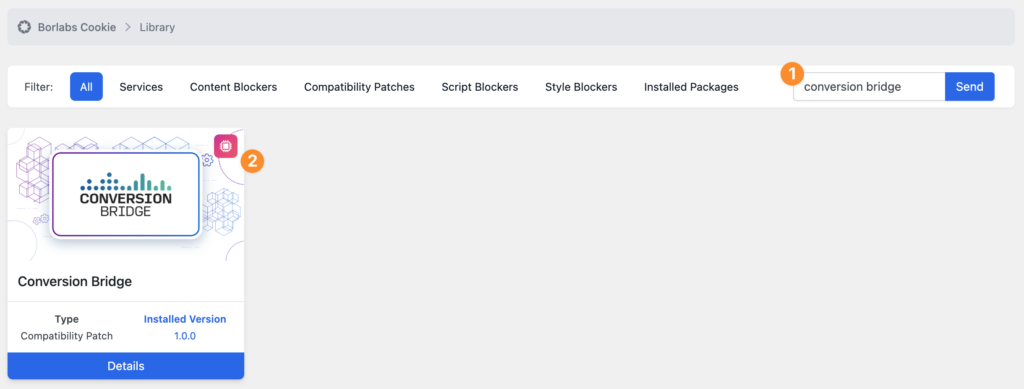
- In Borlabs Cookie, open the Library and search for "conversion bridge", then click Send
- Open the Conversion Bridge package (a Compatibility Patch) and install it. This registers a Borlabs service for each analytics and ad platform Conversion Bridge supports, filed under the Statistics and Marketing groups, so Borlabs can block each script and record consent for it
- Make sure your consent box includes a Statistics service group (for analytics) and a Marketing service group (for ad platforms), then publish it so it appears on your site
Step 2: Select Borlabs Cookie in Conversion Bridge
- Go to Settings → Conversion Bridge → Options in your WordPress admin and find the Cookie Consent section
- Select Borlabs Cookie as your cookie consent plugin
- Save your settings
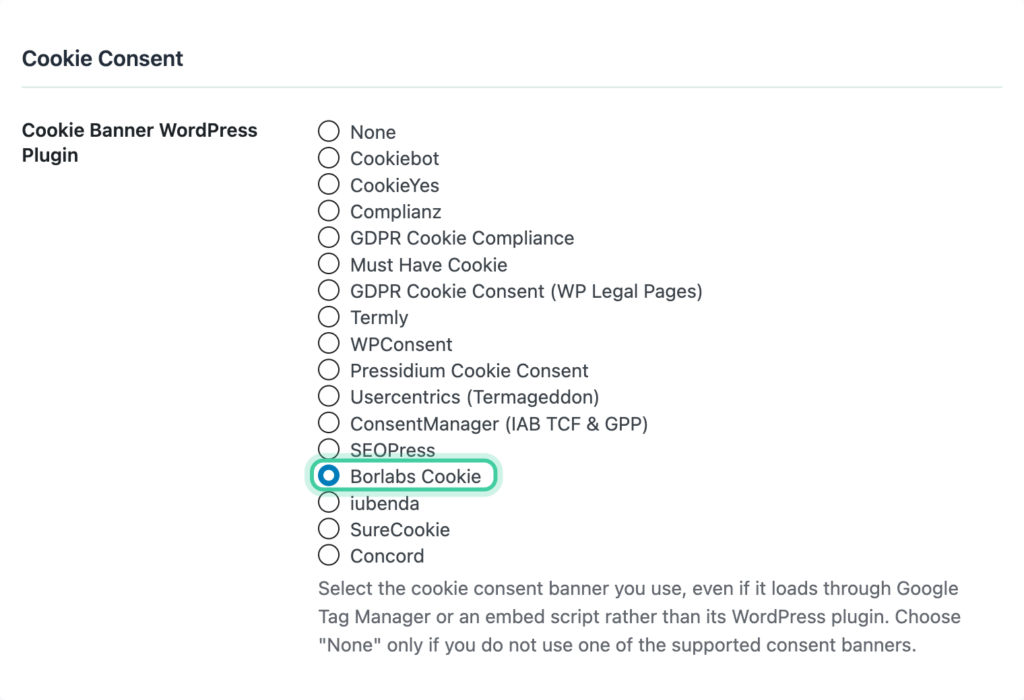
Conversion Bridge detects Borlabs Cookie v3 automatically and hands consent handling over to it. Because Borlabs owns consent for every service, you don't set per-platform consent-signal ownership in Conversion Bridge when Borlabs is your consent plugin.
Step 3: Let Borlabs Manage Google and Tag Manager
- Google Consent Mode. While Borlabs is your consent plugin, Borlabs manages Google Consent Mode for Google Analytics and Google Ads. Conversion Bridge hands this off automatically, so there's nothing to configure in Conversion Bridge. Conversion Bridge still sends its event and e-commerce data once consent is granted.
- Google Tag Manager. Conversion Bridge does not load its Google Tag Manager container while Borlabs is active, and any GTM settings in Conversion Bridge are ignored. Configure Google Tag Manager inside Borlabs Cookie instead, using their dedicated Google Tag Manager package.
Step 4: Verify It Works
- Open your site in a private/incognito browser window
- You should see the Borlabs Cookie consent box
- Reject and confirm that no tracking fires
- Accept and confirm that tracking starts
You can add ?cb_console=1 to any page URL to see consent and tracking activity in your browser's developer console.
How It Works
- When a visitor lands on your site, tracking is paused until they respond to the consent box.
- Borlabs decides consent for each platform individually, service by service. Accepting one tool only turns on that tool, not everything in its group.
- When a visitor accepts Statistics services, your analytics platforms start tracking. When they accept Marketing services, your ad platforms start tracking.
- Cookieless analytics tools like Plausible and Fathom also wait for consent under Borlabs. Borlabs treats any outbound connection as consent-worthy, so these tools are gated the same as the rest.
- Borlabs owns all script blocking, matching each script to its registered service. Conversion Bridge adds no blocking of its own and only gates the tracking calls.
- If a visitor changes their preferences later through Borlabs, tracking updates right away to match.
Consent Category Mapping
Borlabs Cookie's service groups map to Conversion Bridge like this:
| Borlabs Service Group | Conversion Bridge Type | Examples |
|---|---|---|
| Statistics | Analytics | Google Analytics, Plausible, Clarity, Hotjar |
| Marketing | Marketing | Google Ads, Meta Ads, TikTok Ads, LinkedIn Ads |
Conversion Bridge reads consent from these services and applies it to your enabled platforms automatically. Google Tag Manager is the exception: it is not managed through this integration and is configured directly in Borlabs Cookie.