
Every phone number on your website should be linked using the "tel:" protocol. This allows the phone number to be clicked and initiate a call on supported devices. This is especially useful for the modern mobile-first world of the web.
Someone clicking to call you is just as important as filling out a contact form so it's important to track these events. Conversion Bridge has a built-in option for this under the Core WordPress integration.
To track all phone links on your site:
- Go to Settings > Conversion Bridge > Core WordPress
- Check the "Track phone link clicks" option
- Optionally customize the label that appears in your reports
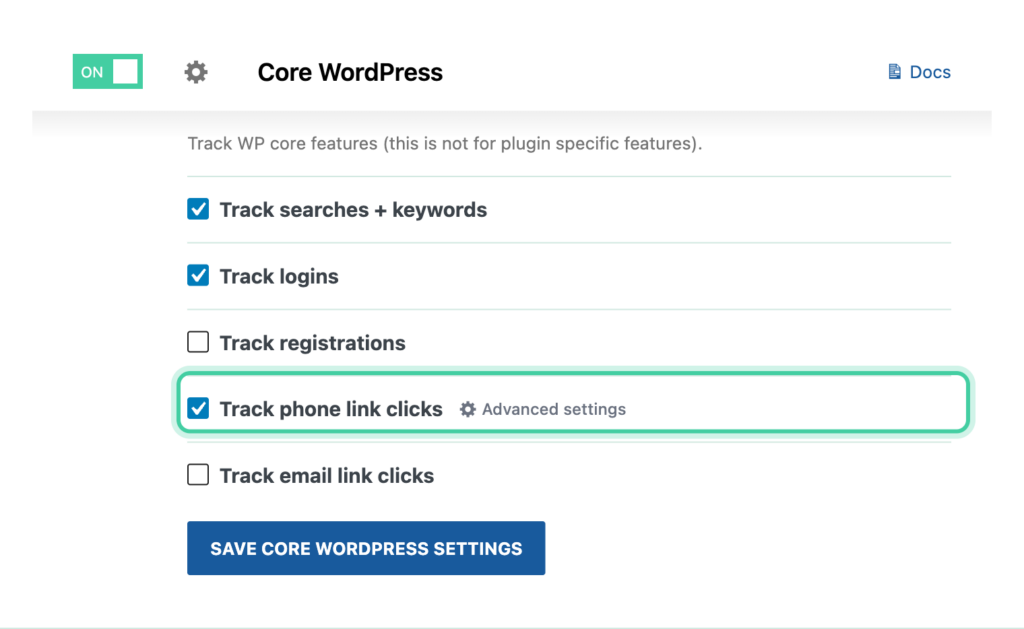
That's it. Every tel: link on your site will now be tracked as a click event across all of your connected platforms.
Using Custom Events instead
If you need more control over which phone links are tracked or want to limit tracking to specific pages, you can use the Custom Events feature instead:
- Go to Settings > Conversion Bridge > Custom Events > Add Custom Event
- Set Event Type to Click
- Set CSS Selector to
a[href^="tel:"] - Enter a Label and (optionally) a value
- Select which page or Entire site for the tracking to be included