








































































































Tutor LMS is a powerful WordPress LMS plugin for creating and selling online courses. It offers a drag-and-drop course builder, quiz creation, certificate generation, multi-instructor support, and built-in student management. With both a native e-commerce system and WooCommerce integration for monetization, Tutor LMS gives course creators a complete platform to build, manage, and sell educational content directly from WordPress.
Why Conversion Tracking is Important
Conversion tracking is essential for online course businesses because it connects your marketing efforts to actual results—registrations, enrollments, and course purchases. Without conversion tracking, you can't measure which campaigns generate real revenue, where students drop off in the buying process, or how to allocate your advertising budget effectively. Tracking conversion events transforms guesswork into data-driven decisions that directly impact your bottom line.
Why Conversion Tracking for Tutor LMS?
Conversion tracking for Tutor LMS is particularly valuable because the online course buying journey has multiple meaningful steps—from initial registration through enrollment and purchase. Each step represents a conversion opportunity worth measuring. Understanding which marketing campaigns drive student registrations, which channels lead to paid enrollments, and where potential students abandon the checkout process gives you the insights needed to grow your course business.
For Tutor LMS users running paid advertising, conversion tracking enables ad platforms like Google Ads and Meta to learn which audiences are most likely to enroll in and purchase your courses. This creates a powerful optimization loop: better conversion data leads to smarter ad targeting, which leads to more students at a lower cost per acquisition. Whether you're selling individual courses, course bundles, or subscriptions, conversion tracking shows you exactly what's working and what isn't.
Tutor LMS Native Checkout vs WooCommerce
Tutor LMS supports two ways to sell courses: the Tutor LMS native e-commerce system (introduced in Tutor LMS 3.0) and WooCommerce. Your choice of checkout determines how conversion tracking is set up.
If you use the native e-commerce checkout, the Tutor LMS integration handles the full conversion tracking funnel—from add to cart through purchase. All e-commerce events are tracked directly through Tutor LMS, and you get the complete set of conversion events listed below.
If you use WooCommerce as your monetization engine, then WooCommerce handles the cart, checkout, and purchase flow. In this case, you should set up e-commerce conversion tracking through the WooCommerce integration instead. You can still use the Tutor LMS integration alongside WooCommerce to track student registrations, instructor registrations, and course enrollments—just leave the e-commerce events to WooCommerce.
Either way, you get full conversion tracking coverage for your course business. The setup just depends on which checkout experience you're using.
Use Cases for Tutor LMS Conversion Tracking
Course Launch Campaign Optimization: Track registrations and purchases during a course launch to identify which ads, emails, and social posts drive the most enrollments. Conversion tracking data allows you to double down on high-performing channels in real time and maximize launch revenue.
Free vs Paid Enrollment Analysis: Track both free course enrollments and paid purchases separately to understand your conversion funnel. Conversion tracking helps you measure how many free students upgrade to paid courses, revealing whether your freemium strategy is working.
Student Acquisition Cost Calculation: Calculate the true cost of acquiring each paying student by tracking which marketing channels lead to completed purchases. Conversion tracking allows you to compare acquisition costs across Google Ads, Meta, email, and organic channels to optimize your spend.
Checkout Funnel Optimization: Track the full e-commerce funnel—add to cart, cart view, checkout, and purchase—to identify where potential students drop off. Conversion tracking for each stage reveals friction points so you can improve course pages, pricing, and checkout flows to increase completed purchases.
Registration Source Attribution: Track student and instructor registrations back to specific campaigns and traffic sources. Conversion tracking helps you understand which channels bring in the most new users, informing your content marketing, SEO, and paid advertising strategies.
Marketing Channel ROI Comparison: Send conversion tracking data to multiple analytics and ad platforms simultaneously to compare channel performance. Determine whether organic search, paid ads, social media, or email marketing generates the best return on investment for your course business.
Conversion Events to Track in Tutor LMS
The conversion events tracked for Tutor LMS include:
Student Registration: Track when new students sign up on your site. Conversion tracking for student registrations helps you measure the effectiveness of your top-of-funnel marketing and understand which channels drive the most new users to your learning platform.
Instructor Registration: Track when new instructors sign up to teach on your platform. This conversion tracking event is especially valuable for multi-instructor marketplaces that need to recruit and onboard new course creators.
Course Enrollment: Track when students enroll in a course. Conversion tracking for enrollments captures the course name, helping you understand which courses generate the most interest and which marketing campaigns drive enrollment activity.
Add to Cart: Track when a student adds a course to their cart from a single course page. This conversion tracking event captures the course name, price, and category, giving you insight into buying intent before the purchase is complete.
View Cart: Track when a student visits the cart page. Conversion tracking for cart views includes the cart total and individual course details, helping you measure how many potential buyers are actively considering a purchase.
Begin Checkout: Track when a student reaches the checkout page. This conversion tracking event includes the same detailed cart data, helping you identify the conversion rate between cart and checkout—a critical step in the buying process.
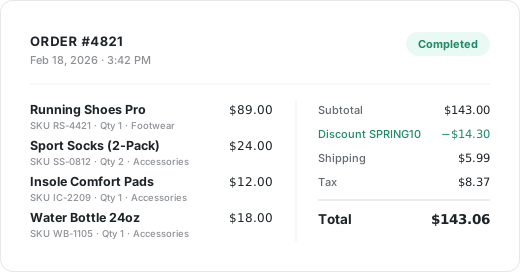
Purchase: Track completed course purchases with full transaction details including order ID, total, tax, coupon codes, and individual course items with names, prices, and categories. This is the most important conversion tracking event for measuring revenue and ROI.
Supported Conversion Tracking Features for Tutor LMS
The integration supports enhanced conversions, allowing you to securely send first-party customer data to supported ad platforms. Registration and enrollment events include email, first name, and last name. Purchase events include full billing details—email, name, phone, and address. This improves ad attribution, targeting accuracy, and reporting quality across your advertising platforms.
Full E-commerce Funnel Tracking: Track the complete purchase journey from add to cart through cart view, begin checkout, and purchase completion. Each event includes detailed course information and pricing data, giving you complete visibility into your sales funnel.
Detailed Item-Level Tracking: Every e-commerce event includes item-level data with course ID, course name, price, and course categories. This granular conversion tracking data helps you understand which individual courses drive the most revenue.
Multiple Platform Support: Send your Tutor LMS conversion tracking data to 19 analytics platforms and 11 ad platforms simultaneously, ensuring comprehensive tracking across all your marketing and analytics tools from a single configuration.
Custom Event Labels: Customize the labels for your conversion tracking events to match your reporting needs. Enrollment and add to cart labels support a %title% placeholder that automatically includes the course name, making it easy to identify specific courses in your analytics dashboards.
Coupon and Tax Tracking: Purchase conversion tracking automatically captures coupon codes and tax amounts, giving you accurate revenue data for financial reporting and campaign attribution.