Google Ads Conversion Tracking on WordPress
To track Google Ads conversions on a WordPress site, paste your Conversion ID and Conversion Label into Conversion Bridge, then turn on tracking for the plugins you use. Purchases, form submissions, and sign-ups start flowing to Google Ads with no code and no tag manager.
One detail trips people up. The Conversion Label is only the part after the slash in Google's snippet. If the snippet shows AW-123456789/AbCdEfGhIj, your label is just AbCdEfGhIj. Conversion Bridge adds the AW- ID for you, so pasting the full string breaks tracking. The Google Ads conversion tracking guide walks through every step, including where to find both values in your Google Ads account.
You can also send one event to multiple conversion actions by entering comma-separated labels, and transaction IDs are included automatically so a refreshed thank-you page doesn't count twice.
Server-Side Google Ads Conversions
Conversion Bridge can also send each conversion from your own server straight to Google, next to the browser tag. If an ad blocker or browser privacy setting stops the tag, the server copy still gets through. When both arrive, Google matches them by transaction ID and counts the conversion once. I explain the whole setup, and why it doesn't need a Tag Manager server, in Google Ads server-side tracking on WordPress.
There are two ways to connect. Click Connect with Google, sign in with Google, and pick your account. Or, if you're an agency or would rather not use the sign-in, add a service account key from your own Google Cloud project. Either way, your conversions go straight from your site to Google and never pass through my servers.
You don't have to dig labels out of Google Ads anymore, either. Every Conversion Label field has a button to choose one of your existing conversion actions or create a new one on the spot.
Do You Need Google Tag Manager for Google Ads on WordPress
No, most WordPress sites don't need Google Tag Manager to run Google Ads conversion tracking. Tag Manager exists to manage custom code, and Conversion Bridge removes the custom code entirely by connecting Google Ads directly to your forms, store, and membership plugins.
If you're weighing the two approaches, I wrote a full comparison of Conversion Bridge as a Google Tag Manager alternative. The short version: GTM makes sense when a dedicated person maintains complex custom tracking. For everyone else, it's an extra layer that breaks when a form plugin updates its markup.
Enhanced Conversions Are On by Default
Conversion Bridge sends enhanced conversions with every Google Ads conversion that includes customer data. When someone submits a form or completes a purchase, their email, name, and phone number are hashed with SHA-256 in the browser and sent alongside the conversion. Google matches the hash against signed-in users, which recovers conversions that cookies alone would miss.
The data is one-way hashed before it leaves the page, so Google never receives the raw values. There's nothing to configure beyond enabling enhanced conversions in your Google Ads account settings.
Consent Mode v2 is supported too. Conversion Bridge sets the default consent state on page load and updates ad_user_data and ad_personalization when a visitor responds to your cookie banner, which is required for advertising to EU visitors.
Works With the Plugins You Already Run
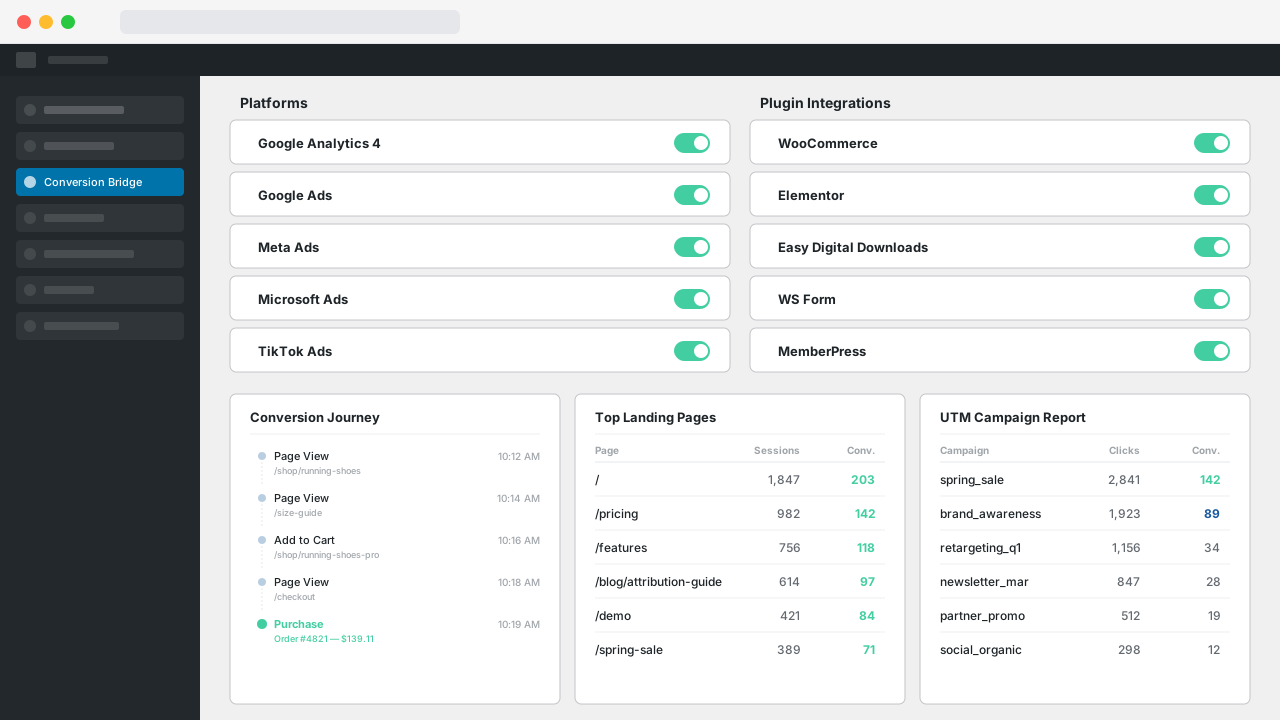
Conversion Bridge connects Google Ads to 76 WordPress plugins, so the events you care about are already wired up. Track WooCommerce purchases with order values for ROAS bidding, or count a Gravity Forms or WS Form submission as a lead. Each pairing has its own setup notes, like this one for WooCommerce and Google Ads.
Setup takes minutes: connect Google Ads once, tick the events you want from each plugin, and check the results inside your WordPress dashboard.